
Model
A model is a mesh loaded into a scene. An STL file, an OBJ file, or a CAD file becomes a model when you import it. The model carries everything the print needs from that part: its geometry, its position and orientation on the build platform, and its supports.
Each model is one entry in the Model List in PreForm. When a customer order arrives as several STL files, each file becomes its own model, and the model's name tells you which order it belongs to.
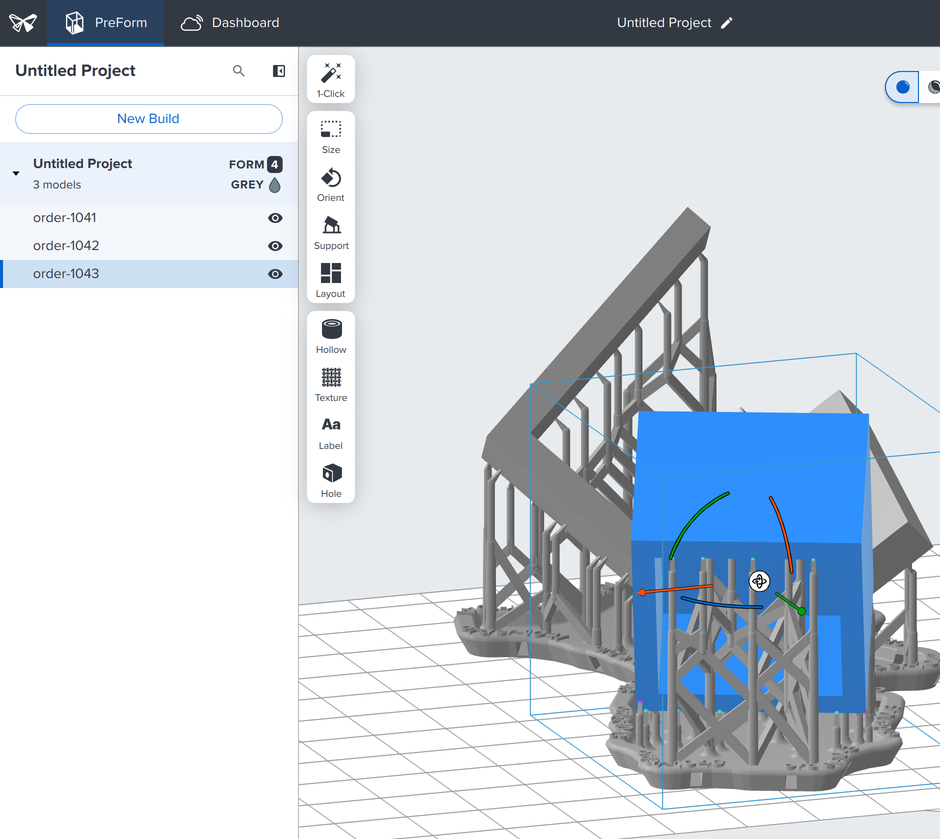
name.What a model holds#
Each model in a scene has its own ID and properties:
| Property | Meaning |
|---|---|
id | The model's ID within its scene |
name | The name the Model List shows, derived from the filename unless you set one |
position, orientation, scale | Where the model sits on the build platform, in millimeters and degrees |
units | The units the file was interpreted in, such as MILLIMETERS |
bounding_box | The model's extent in the scene, including its supports |
has_supports | Whether the model has supports |
in_bounds | Whether the model fits inside the build volume |
original_file | The path of the file the model came from |
Import a model#
The import_models method loads a file into a scene and returns the models it produced:
# PreForm reads the file itself, so PART is a full path on the machine that runs
# PreForm.
imported = preform.import_models(scene_id=scene.scene_id, file=PART)
# The import answers with the new models' ids; list_models has the rest. units is
# the unit the file was interpreted in, such as MILLIMETERS.
model_id = imported.new_models[0].model_id
model = preform.list_models(scene_id=scene.scene_id, model_ids=[model_id]).models[0]
print(model.id, model.name, model.units)curl -X POST http://localhost:44388/v1/scene/model/import/ \
-H "Content-Type: application/json" \
-d "{\"scene_id\": \"$SCENE_ID\", \"file\": \"$PWD/part.stl\"}"@{ scene_id = $env:SCENE_ID; file = "$PWD\part.stl" } |
ConvertTo-Json |
curl.exe -X POST http://localhost:44388/v1/scene/model/import/ `
-H "Content-Type: application/json" `
-d "@-"PreForm reads the file itself, so pass a full path on the machine that runs PreForm. A CAD or 3MF file with several parts imports as one model unless you pass split_multi_model_file=True. For more information, see the Scenes endpoints.
To label each model with an order number, pass name=. An STL file carries no units, so PreForm reads it as millimeters. For a file a customer designed in inches, pass units=ImportUnits.INCHES, from formlabs_preform_api.models.
The import_models method loads STL, OBJ, and 3MF mesh files, and CAD files in STEP, SolidWorks, PTC Creo, JT, CATIA V5, Inventor, and Rhino formats. For more information, see Opening a model in PreForm.
Supports belong to the model#
On SLA printers, a model prints on supports. Supports consist of three parts: the raft, which adheres to the build platform; the scaffolding, which rises from the raft; and the touchpoints, where the scaffolding meets the model:
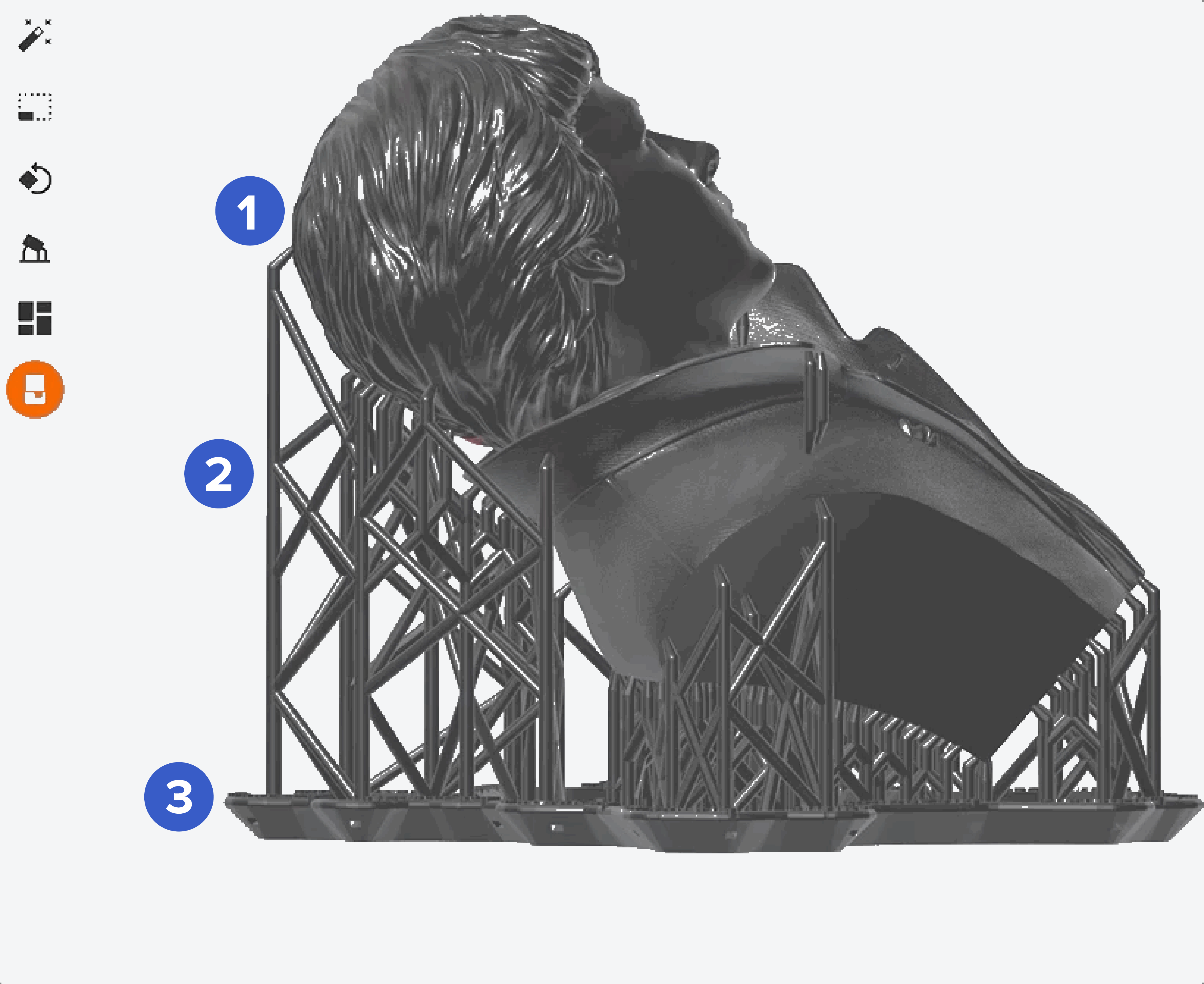
The supports are part of the model, so they move with it, and its bounding box includes them:
preform.auto_support_models(scene_id=scene.scene_id, model_ids=[model.id])

# The supports belong to the model, so its bounding_box includes them.
for listed in preform.list_models(scene_id=scene.scene_id).models:
    print(listed.name, listed.has_supports, listed.in_bounds, listed.bounding_box)
Orientation affects how much support a model needs, so orient a model before you support it. For more information, see Model orientation best practices for SLA printing and How supports work in SLA printing.