
PreForm client
The PreForm client, client.preform, is the SDK's handle to the PreForm API client that talks to your instance of PreForm.
Most methods on the client do a step you already do in the PreForm window, such as the Job Setup choices, importing a file, or Upload to Queue. A script that calls them in order runs the same steps for every incoming order, without an operator repeating the clicks.
Connect or launch#
The connect() method attaches to a PreForm that's already running, and the launch() method starts one:
connect() | launch() | |
|---|---|---|
| Process | Attaches to PreForm or PreForm Server on the port | Starts PreForm or PreForm Server from the executable you pass |
| Login | Leaves the login alone unless you pass login=True | Logs PreForm in with the client's account, when the client has one |
| On close | Leaves PreForm running | Closes PreForm |
| Failure codes | SERVER_UNREACHABLE | STARTUP_FAILED, PORT_IN_USE |
Both methods default to port 44388 and take port= for another one.
Connect to a running PreForm#
The connect() method attaches to a PreForm that's already open, or to a PreForm Server another process started:
# connect() attaches to PreForm on port 44388 and leaves its login alone.
preform = client.preform.connect()
print(preform.version, preform.owns_process)
owns_process is False for a connected process, so closing the client leaves it running. To reach PreForm Server on another machine, pass base_url=, for example http://printhost:44388.
The PreForm you connect to may already be logged in: current_user() returns the account, or None. For more information, see Log PreForm in.
Launch PreForm#
A with block scopes the PreForm process to the code that uses it:
# launch() waits up to 60 seconds for PreForm to print READY FOR INPUT.
with client.preform.launch(PREFORM) as preform:
    print(preform.version, preform.base_url, preform.pid)
The handle reports the version and base_url of PreForm, and pid holds the process ID of a PreForm that launch() started. When another PreForm or PreForm Server already listens on the port, launch() fails with PORT_IN_USE.
Log PreForm in#
PreForm works without a login: it prepares and saves jobs, and prints to printers on your local network. Logged in to your Formlabs account, it also reaches the printers registered to the account and its Printer Groups, as Log In in PreForm's Account menu does:
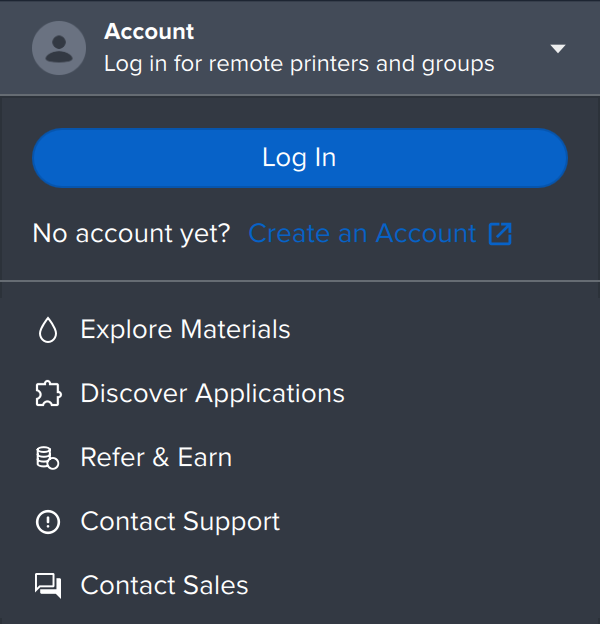
Pass the account to the client, and connect(login=True) logs PreForm in:
import os

from formlabs_sdk import FormlabsClient

# The client holds the account, and connect(login=True) logs PreForm in to it.
with FormlabsClient(
    username=os.environ["FORMLABS_USERNAME"],
    password=os.environ["FORMLABS_PASSWORD"],
) as client:
    # A rejected login raises PreFormApiError with the code LOGIN_FAILED, and
    # PreForm keeps running, logged out.
    with client.preform.connect(login=True) as preform:
        user = preform.current_user()
        print(f"Logged in as {user.username}")
The login lasts until PreForm exits or logout() ends it, and a new login replaces the one before. Without login=True, connect() leaves the login as it is. To log in later, call preform.login(). A rejected login raises PreFormApiError with the code LOGIN_FAILED, and PreForm keeps running, logged out.
Caution: Before you replace the login of a PreForm someone else uses, check current_user().
Call the PreForm API#
Each endpoint has a method named after its operation. The following table maps common PreForm actions to the methods that do the same work:
| In PreForm | Method |
|---|---|
| Choose printer, material, and layer thickness on the Job Setup screen | create_scene, update_scene |
Open a .form file | open_form_file |
| Import an STL or CAD file | import_models |
| Orient, support, and lay out models automatically | auto_orient_models, auto_support_models, auto_layout_models |
Save the build as a .form file | save_form_file |
| Send the job to a printer with Print Now or Upload to Queue | print_scene |
A long-running endpoint starts an operation, and the method returns when the operation finishes. For more information, see Operation.
Handle errors#
A failed call raises PreFormApiError, which carries the error code, its message, and the HTTP status_code:
try:
    preform.create_scene(
        machine_type="FORM-4-0",
        material_code="NOT-A-MATERIAL",
        layer_thickness_mm=0.1,
    )
except PreFormApiError as exc:
    # code is the field to match on.
    print(exc.code, exc.status_code, exc.message)
A scene setting that Formlabs doesn't ship fails with INPUT_ERROR and status 400. For more information about error codes, see Errors.
Blocking and async clients#
FormlabsClient gives a blocking handle, and AsyncFormlabsClient gives an async one with the same methods. In async code, await connect() and each method:
async def main() -> None:
    # A logged-out PreForm can still prepare a scene and save it, so the account
    # is optional here.
    async with AsyncFormlabsClient(
        username=os.environ.get("FORMLABS_USERNAME"),
        password=os.environ.get("FORMLABS_PASSWORD"),
    ) as client:
        # Awaiting connect() returns once PreForm answers on port 44388. Leaving this
        # with block leaves PreForm running.
        async with await client.preform.connect() as preform:
The blocking client runs the async one on a private event-loop thread. The samples on the Core concepts pages use the blocking client.