
Dental presets
This script turns the scans of a dental case into a print-ready .form file using one of the dental presets: orthodontic models, restorative models, occlusal guards, or surgical guides. The script takes in the kind of case and STL files and picks the resin and layer height, orients each arch, adds supports to appliances, and lays everything out on the build platform.
View on GitHub Download dental-presets.zip
A dental lab can use presets (one of the provided presets, or create your own in PreForm), for example: a night guard that always goes on LT Comfort, tilted and supported, or a crown and bridge model that always goes on Precision Model at 0.05 mm. PreForm stores those choices as presets in its dental workspace, where a technician can pick one and PreForm sets up the build. This script applies the same presets from a script, so scans from your lab software or an intraoral scanner become a build ready to send, without a user having to open PreForm.
presets.toml holds the four presets PreForm offers for Form 4B, with the same settings:
| Preset | Prints | Resin | Layer height | Tilt | Supports |
|---|---|---|---|---|---|
orthodontic-models | Arch models, such as for thermoforming aligners and retainers | Fast Model V1 | 0.16 mm | 0° | None |
restorative-models | Crown and bridge models | Precision Model V1 | 0.05 mm | 0° | None |
occlusal-guards | Night guards and splints | LT Comfort V1.1 | 0.1 mm | 15° | Full raft, labeled |
surgical-guides | Guides for implant placement | Surgical Guide V1 | 0.1 mm | 15° | Full raft, labeled |
The script uses the PreForm API to orient, support, and lay out the models, and it reads back the size of each model, whether it fits on the build platform, the layer count, and the resin volume.
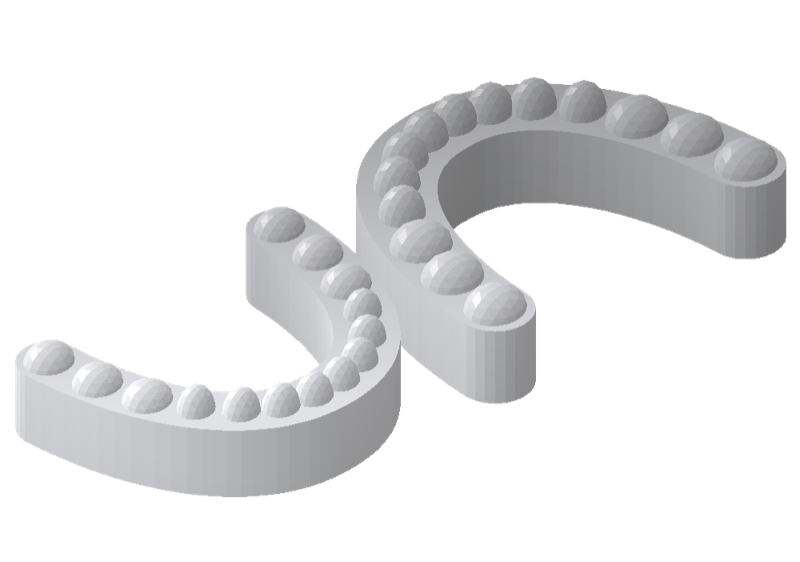
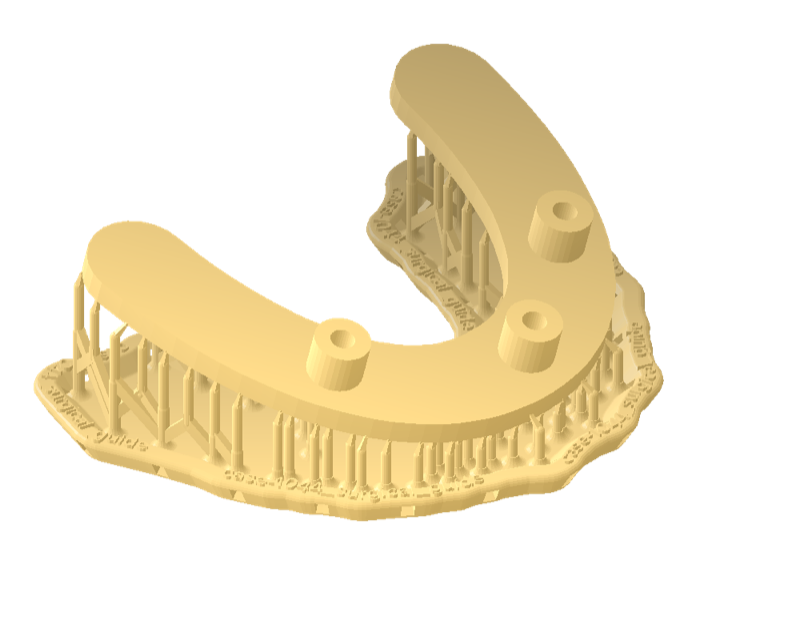
This example contains two files and a folder: apply_preset.py builds the job through the PreForm API, presets.toml holds the presets, and the scans folder holds four sample STL files: an upper and a lower arch for case 1042, an occlusal guard for case 1043, and a surgical guide for case 1044. The sample files are simple generated shapes that stand in for real scans.
Describe each kind of case#
A preset is one table in presets.toml. The surgical guide preset prints on Surgical Guide V1 at 0.1 mm, tilts the guide 15 degrees, and supports it on a labeled raft:
[presets.surgical-guides]
material = "Surgical Guide V1"
material_code = "FLSGAM01"
layer_thickness_mm = 0.1
tilt_deg = 15
[presets.surgical-guides.supports]
raft_type = "FULL_RAFT"
raft_label_enabled = true
density = 1.0
touchpoint_size_mm = 0.5
internal_supports_enabled = true
The keys under supports are the PreForm API's own parameter names. A preset without a supports table prints without supports, as the two model presets do. To add your lab's own kind of work, such as dentures or dies, add another [presets.<name>] table.
Fill in the defaults#
load_presets fills each preset from the [defaults] table:
def load_presets(path: Path) -> dict[str, dict]:
    """Read the presets, each filled in from the [defaults] table."""
    data = tomllib.loads(path.read_text())
    defaults = data.get("defaults", {})
    return {name: defaults | preset for name, preset in data["presets"].items()}
The defaults set the machine type FORM-4-0, which covers Form 4B, the DEFAULT print setting, a tilt of 0 degrees, millimeter units, no mesh repair, the DENTAL layout, and 1 mm between models. A preset overrides any of them, as the orthodontic models preset does with F4_FAST_ARCHES, the Fast Arch print setting.
Connect to PreForm#
Make sure PreForm is ready to accept connections.
PREFORM_URL reads the PreForm address from FL_LOCAL_BASE_URL, with a default of port 44388:
PREFORM_URL = os.environ.get("FL_LOCAL_BASE_URL", "http://localhost:44388")main connects to PreForm at that address, and exits with a hint if nothing answers:
with FormlabsClient() as client:
    try:
        preform = client.preform.connect(base_url=PREFORM_URL)
    except PreFormApiError as exc:
        sys.exit(
            f"{exc}\nNo PreForm at {PREFORM_URL}; open PreForm and start its API server"
        )
Set FL_LOCAL_BASE_URL to reach PreForm on another port or host.
Create the scene#
apply_preset creates a scene with the preset's printer, material, print setting, and layer thickness:
def apply_preset(
    preform: PreFormApi, preset: dict, models: list[Path], out: Path
) -> Scene:
    """Build a scene from the preset and models, save it as a .form, and return it."""
    scene = preform.create_scene(
        machine_type=preset["machine_type"],
        material_code=preset["material_code"],
        print_setting=preset["print_setting"],
        layer_thickness_mm=preset["layer_thickness_mm"],
    )
The four values must be a combination that /v1/print-setting/list/ offers. For any other combination, the server returns INPUT_ERROR with the message Scene type not supported, and the script stops before it imports a model.
Import the models#
Each STL file becomes one model, named after the file:
for model in models:
    # PreForm resolves paths from its own working directory.
    preform.import_models(
        scene_id=scene.scene_id,
        file=str(model.resolve()),
        name=model.stem,
        units=ImportUnits(preset["units"]),
        repair_behavior=RepairBehavior(preset["repair_behavior"]),
    )
The model name carries the case number from the filename, such as case-1042_upper_arch. The presets import in millimeters, the unit that intraoral scanners and dental CAD software export. IGNORE leaves each mesh as it is.
Orient the models#
The DENTAL orientation mode puts each arch occlusal side up, then tilts the occlusal plane by the preset's angle:
# DENTAL puts each arch occlusal side up, then tilts the occlusal plane by tilt degrees.
preform.auto_orient_models(
    scene_id=scene.scene_id, mode=AutoOrientMode.DENTAL, tilt=preset["tilt_deg"]
)
Models print flat at 0 degrees, and guards and guides print tilted at 15 degrees, as in PreForm.
Generate supports#
Guards and guides get supports and a raft:
if supports := preset.get("supports"):
    preform.auto_support_models(
        scene_id=scene.scene_id,
        raft_type=RaftType(supports["raft_type"]),
        raft_label_enabled=supports["raft_label_enabled"],
        density=supports["density"],
        touchpoint_size_mm=supports["touchpoint_size_mm"],
        internal_supports_enabled=supports["internal_supports_enabled"],
    )
FULL_RAFT with raft_label_enabled embosses the model name on the raft, so after washing and curing, a technician can match each appliance to its case by the number on the raft.
Lay out and save the build#
auto_layout_models places every model on the build platform, and save_form_file writes the job:
preform.auto_layout_models(
    scene_id=scene.scene_id,
    mode=AutoLayoutMode(preset["layout_mode"]),
    model_spacing_mm=preset["model_spacing_mm"],
)
preform.save_form_file(
    file=str(out.resolve()), scene_ids=[scene.scene_id], project_name=out.stem
)
return preform.get_scene(scene_id=scene.scene_id)
The DENTAL layout mode uses the layout parameters of PreForm's dental workspace. The scene that get_scene returns carries each model's in_bounds flag, and the script prints NO for any model that doesn't fit on the build platform.
Delete the scene#
The finally block deletes the scene after the file is saved or a call fails:
finally:
    preform.delete_scene(scene_id=scene.scene_id)
Run the example#
With pip, install the Formlabs SDK first; with uv, uv run installs it from the example's pyproject.toml.
In a terminal, list the presets from the folder you unzipped:
Terminalpython apply_preset.py --listTerminaluv run apply_preset.py --listApply a preset to the models of one case:
Terminalpython apply_preset.py orthodontic-models scans/case-1042_*.stlTerminaluv run apply_preset.py orthodontic-models scans/case-1042_*.stl
The script reads presets.toml and the model files you name, and writes <preset>.form next to the first model. Pass --out to choose another path and --presets to read another presets file. The two commands print the presets and the build:
orthodontic-models   Fast Model V1, 0.16 mm, tilt 0, no supports
restorative-models   Precision Model V1, 0.05 mm, tilt 0, no supports
occlusal-guards      LT Comfort V1.1, 0.1 mm, tilt 15, supports
surgical-guides      Surgical Guide V1, 0.1 mm, tilt 15, supports

orthodontic-models: Fast Model V1 (FLFMGR01) at 0.16 mm, tilt 0 deg, supports off
  model                                 size x*y*z mm  supports  fits
  case-1042_lower_arch                 40.2x53.2x14.7        no   yes
  case-1042_upper_arch                 45.7x58.9x16.4        no   yes
  102 layers, 25.0 mL of resin
-> scans/orthodontic-models.form