
Pack across builds
This script packs 60 3DBenchy boats and 100 cubes into as many Fuse 1 builds as they need, and saves each build as a .form file.
View on GitHub Download pack-across-builds.zip
For each build, the script:
- Opens
parts.formwithopen_form_fileand deletes the parts earlier builds took withdelete_models. - Calls
auto_pack_modelswithPARK_OUTSIDE_BUILD_VOLUME, which packs what fits and reports the rest. - Deletes the parts that didn't fit and saves the build with
save_form_file.
Web SLS Packer runs a similar loop in a browser app, on uploaded STL files. Layout across builds does the same for SLA builds, where the script picks the part to eject.
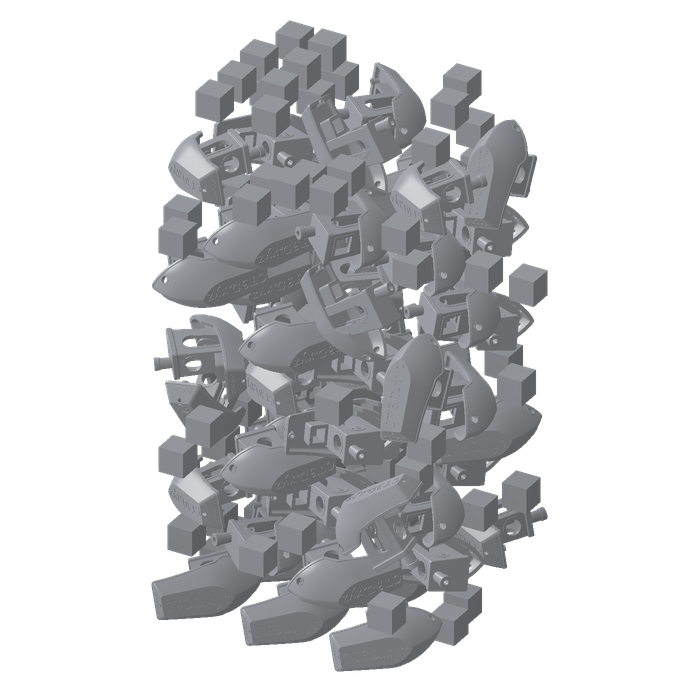
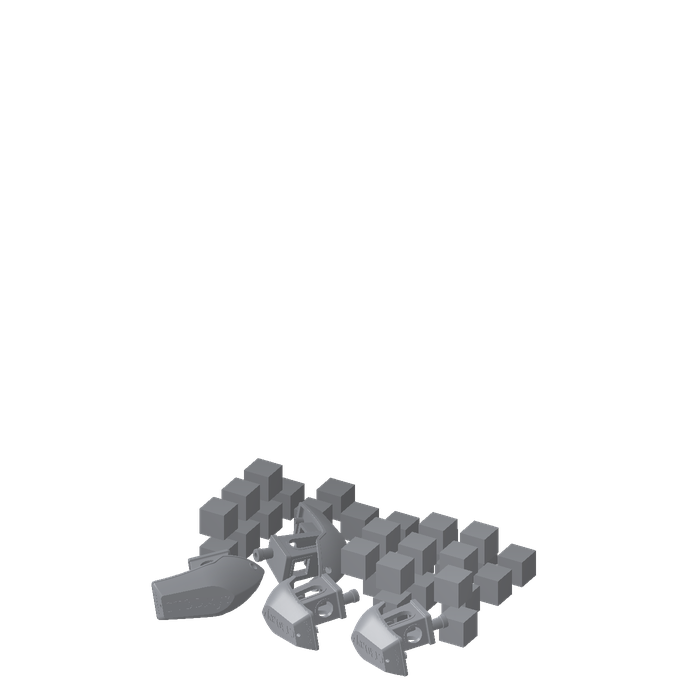
This example contains three files: pack_across_builds.py packs the builds, parts.form holds 60 3DBenchy boats and 100 15 mm cubes on a Fuse 1, and ATTRIBUTION.md credits the boat.
The #3DBenchy model, from 3DBenchy.com, is released under CC0 1.0 Universal.
Connect to PreForm#
Make sure PreForm is ready to accept connections.
main connects to PreForm at PREFORM_URL:
with FormlabsClient() as client:
    preform = client.preform.connect(base_url=PREFORM_URL)
PREFORM_URL defaults to http://localhost:44388. Set FL_LOCAL_BASE_URL to reach PreForm on another port or host.
Start each build#
Each build reopens parts.form and deletes the parts earlier builds took:
# Each build starts from every part, less the ones earlier builds took.
# PreForm resolves paths from its own working directory.
scene_id = preform.open_form_file(file=str(FORM_FILE.resolve())).scenes[0].scene_id
try:
    models = preform.list_models(scene_id=scene_id).models
    taken = [m.id for m in models if m.name in placed]
    if taken:
        preform.delete_models(scene_id=scene_id, model_ids=taken)
    names = {str(m.id): m.name for m in models if m.name not in placed}
    if not names:
        break
The script stops when none remain.
Pack the build#
auto_pack_models packs every model in the scene:
# PARK_OUTSIDE_BUILD_VOLUME packs what fits and moves the rest outside the
# build volume, for the next build.
packed = preform.auto_pack_models(
    scene_id=scene_id, seed=7, on_pack_failure=OnPackFailure.PARK_OUTSIDE_BUILD_VOLUME
)
if not packed.packed_model_ids:
    sys.exit(f"None of these fit in an empty build: {', '.join(sorted(names.values()))}")
if packed.unpacked_model_ids:
    preform.delete_models(scene_id=scene_id, model_ids=packed.unpacked_model_ids)
With PARK_OUTSIDE_BUILD_VOLUME, the pack lists the models it couldn't place in unpacked_model_ids. The script deletes them, and they go on the next build. If nothing fits in an empty build, the script stops.
Save the build#
save_form_file writes each build to its own .form file:
    build += 1
    out = HERE / f"parts.build-{build}.form"
    preform.save_form_file(file=str(out.resolve()), scene_ids=[scene_id])
    placed |= {names[str(i)] for i in packed.packed_model_ids}
    print(f"{out.name}: {len(packed.packed_model_ids)} parts, {len(packed.unpacked_model_ids)} left over")
finally:
    preform.delete_scene(scene_id=scene_id)
Run the example#
In a terminal, run the script from the folder you unzipped. With pip, install the Formlabs SDK first; with uv, uv run installs it from the example's pyproject.toml.
python pack_across_builds.pyuv run pack_across_builds.pyThe script writes parts.build-1.form, parts.build-2.form, and so on next to parts.form. To pack your own parts, change FORM_FILE.
parts.build-1.form: 125 parts, 35 left over
parts.build-2.form: 35 parts, 0 left over